
These are the Release Notes for July 2026 for the Kubo solution. Here, you can find all the latest updates, including changes, improvements, and new features.
Table of Contents
July 27, 2026 | version: 2.0.2
🚀 NEW | New report available: Email Delivery
NEW | New report available: Email Delivery
-
Location: Kubo System > Report > Email Delivery
Starting with this version, we are making the new Email Delivery report available in the system. This new report allows you to track the status of emails sent through the platform.
With the Email Delivery report, the Administrator can verify whether the email was sent successfully and whether it was accepted by the recipient’s email server, as well as view technical delivery information, such as the destination server, subject line, and date sent.
Here's how this new report works:
-
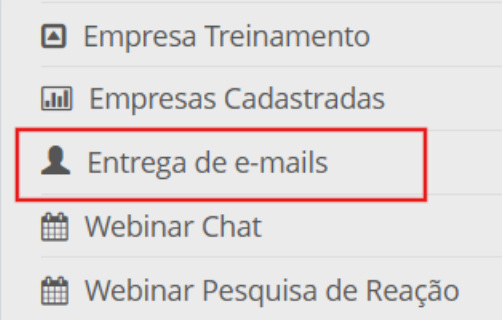
In the report list, click Email Delivery:
-
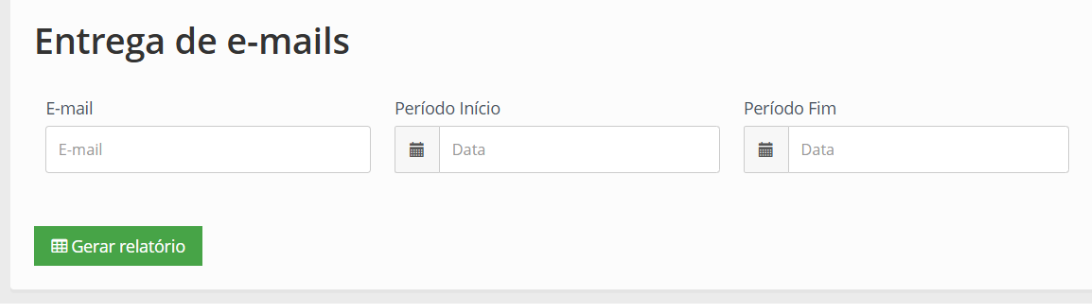
The system will display the filter by email, start and end dates for your reference:
-
After clicking Generate Report, the system will display a list of the results:

The columns in the report are as follows:
-
Email: the recipient's email address;
-
Status: indicates the delivery status:
-
when the status is Sent, it means the email was sent by the platform and accepted by the recipient's email server.
-
-
Details: displays technical information about the delivery, such as the server that received the message and other processing details (for example: IP address and destination server);
-
Title: subject line of the sent email;
-
Date: date and time the email was sent.
See the complete documentation on reports at Reports and queries.
This new feature is designed to make it easier to audit shipments and help identify potential delivery issues.
🚀 NEW | New settings for the microlearning feature
NEW | New settings for the microlearning feature
-
Location: Kubo System > Training > Microlearning
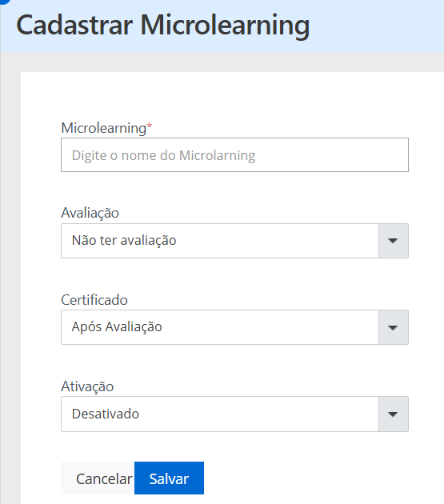
We have added new configuration options to the system for creating and editing microlearning modules, providing greater flexibility in defining completion and certification rules. As a result, Administrators can now configure the Evaluation and Certificate fields to define the student’s experience.
See more information about the fields:
-
Evaluation: allows you to specify whether the microlearning module will include a knowledge evaluation. Options:
-
No evaluation;
-
At the end of the training.
-
-
Certificate: Allows you to define the conditions under which the certificate can be issued. Options:
-
After the evaluation: The certificate will be issued only after the evaluation is completed. The minimum passing score is the default value set in Settings > List > Passing Average;
-
Upon Start: The certificate will be made available when the student begins the microlearning content;
-
No certificate: The microlearning will not issue a certificate.
-
Here is an example image:
See the complete documentation on microlearning in the Create, edit or delete microlearning documentation.
With these new settings, the Administrator now has greater control over the process of completing microlearning modules, and can also recognize progress by issuing certificates, tailoring the rules to align with the organization’s training strategy.