
These are the Release Notes for August 2026 for the Kubo solution. Here, you can find all the latest updates, including changes, improvements, and new features.
Table of Contents
August 24, 2026 | version: 2.0.4
🚀 NEW | Optimizing Banner Management
NEW | Optimizing Banner Management
-
Location: Kubo System > Settings > Banner
Starting with this version, we’ve implemented several improvements to the configuration and display of banners, providing greater control over the publication period and the adaptation of content for different devices.
Here are the improvements:
-
You can now set a start date and an end date for the banner’s display. This way, the system automatically controls the period during which the banner will be available, without the need for manual activation or removal;
-
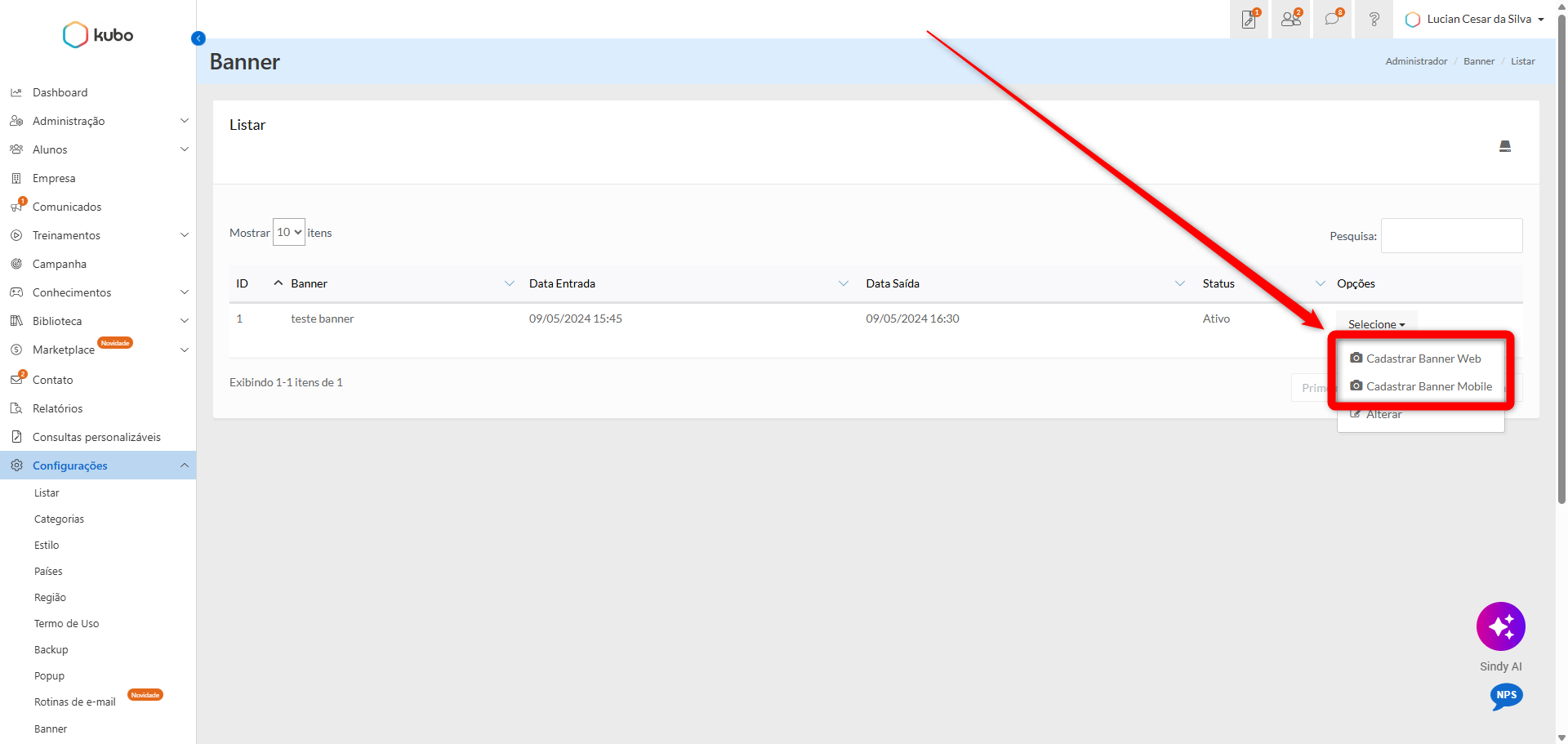
We’ve also added the option to register a specific banner for mobile devices. As a result, when you register both Web and Mobile versions, the system automatically detects the size of the screen and displays the corresponding banner:
-
Larger screen: displays the Web banner;
-
Smaller screen: displays the Mobile banner.
-
Information
To use both versions, you must register two banners: one for the Web and one for mobile.
View an example image of the banner registration form for Web and Mobile:
For more information about banners, access the Set Up a Banner documentation.
August 10, 2026 | version: 2.0.3
🚀 NEW | New card available on the Administrator's initial dashboard
NEW | New card available on the Administrator's initial dashboard
-
Location: Kubo System > Initial Screen
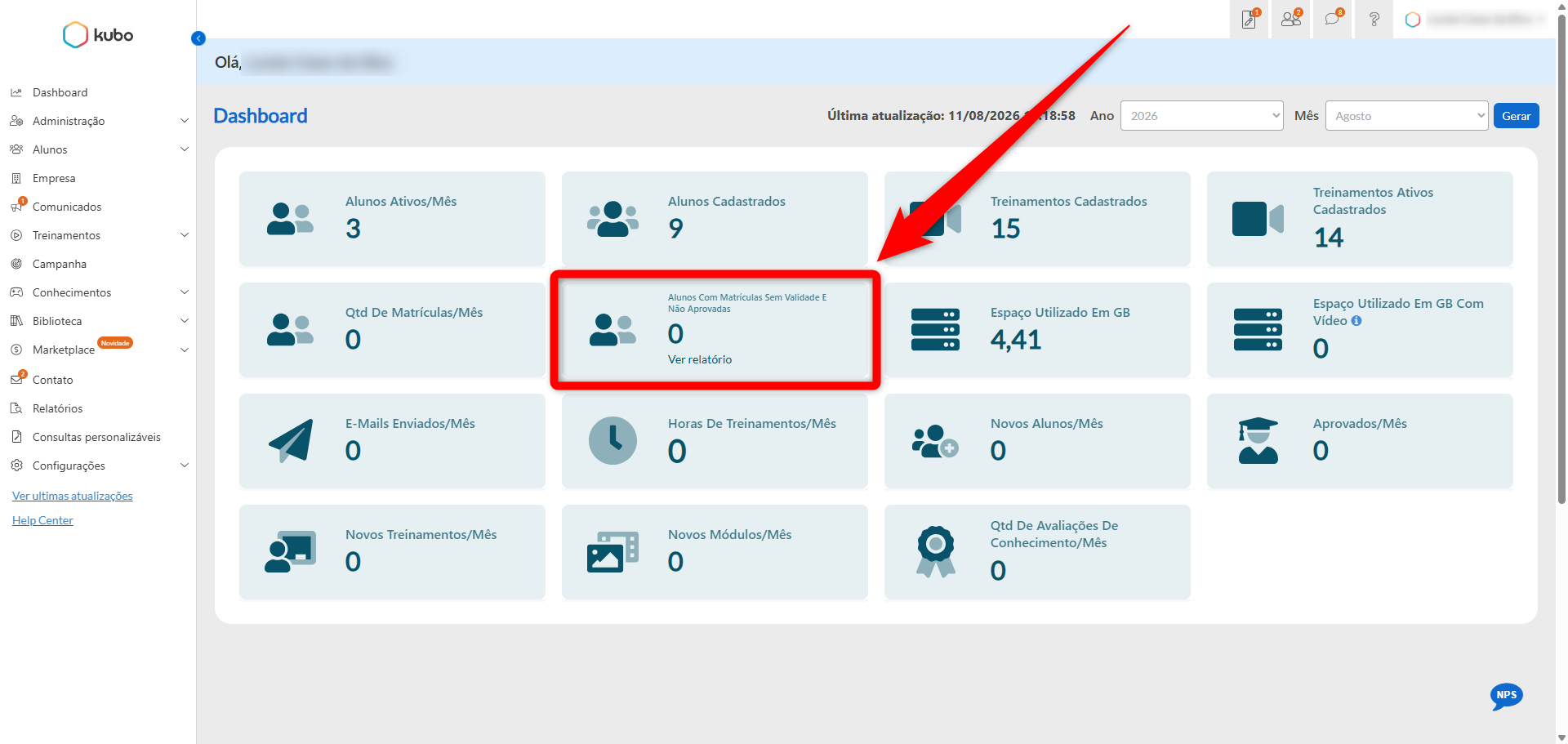
We have added a new card to the Administrator’s initial dashboard, allowing you to view the quantity of students with enrollments that do not have a defined expiration date and have not yet been approved.
In addition, the Administrator can click the View Report button to access a detailed list and identify which enrollments belong to the students shown in the indicator.
Here is an example image of the new card:
This improvement is intended to make it easier to track these registrations and to allow faster action to bring the records into compliance.